I’m Tejas Hingu, a full stack developer, and I hit this while adding administrator-only settings to posts on a client’s WordPress site. It’s one of the more confusing WordPress updating failed errors, because an Editor can get it for a custom field they never touched, and only on some posts:
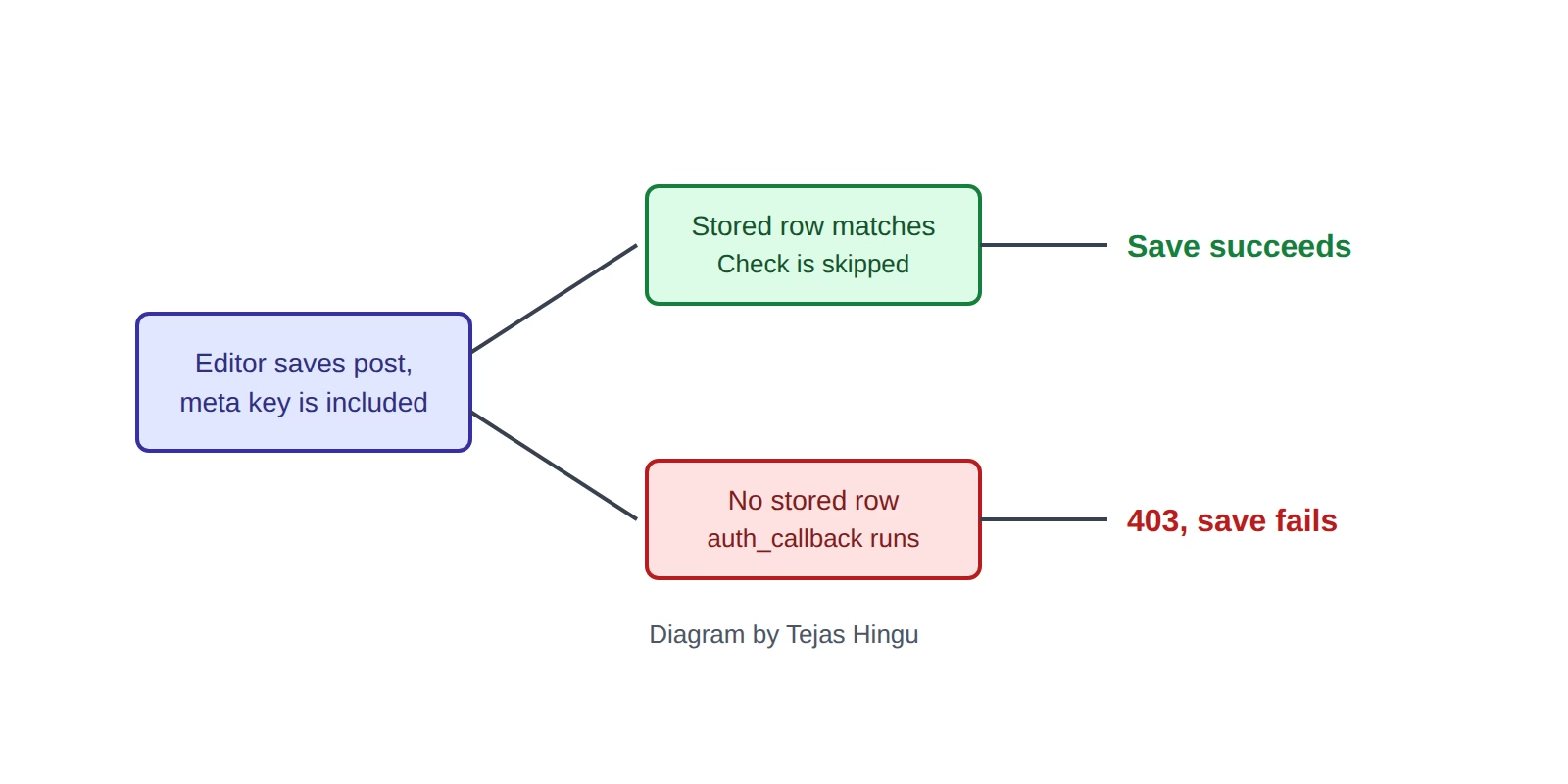
Updating failed. Sorry, you are not allowed to edit the [field] custom field.Here’s what’s going on. When someone saves a post, the block editor can send every registered custom field along with it. If one of those is restricted and has no saved value on that post, WordPress rejects the entire save with a 403. The fix is to drop the restricted field from the request for users who can’t edit it.
Why does the error only happen on some posts?
I went through the WordPress 7.1.4 source to find this. In WP_REST_Meta_Fields::update_meta_value(), WordPress compares the incoming value with what’s saved before it checks permissions:
$old_value = get_metadata_raw( $meta_type, $object_id, $meta_key );

if ( is_array( $old_value ) && 1 === count( $old_value )
	&& $this->is_meta_value_same_as_stored_value( $meta_key, $subtype, $old_value[0], $value )
) {
	return true;
}

if ( ! current_user_can( "edit_{$meta_type}_meta", $object_id, $meta_key ) ) {
	return new WP_Error( 'rest_cannot_update', /* ... */ );
}
So if the post already has a matching value saved, WordPress never reaches the permission check. If there’s no saved value, it runs the check and the Editor fails it. That’s why the same person can update one post fine and get blocked on the next.
What kind of custom field causes this?
Usually one registered like this, which is a perfectly reasonable way to restrict a field:
register_post_meta(
	'post',
	'myplugin_admin_setting',
	array(
		'type'          => 'string',
		'single'        => true,
		'show_in_rest'  => true,
		'auth_callback' => static function () {
			return current_user_can( 'manage_options' );
		},
	)
);
Fields starting with an underscore can trigger it too, since WordPress treats those as protected unless you say otherwise.
How do you fix the 403 without opening up the field?
Take the field out of the request before WordPress processes it, but only for people who aren’t allowed to change it. Leave auth_callback exactly as it is:
add_filter(
	'rest_request_before_callbacks',
	static function ( $response, $handler, $request ) {
		if ( current_user_can( 'manage_options' ) ) {
			return $response;
		}

		$meta = $request->get_param( 'meta' );

		if ( is_array( $meta ) ) {
			unset( $meta['myplugin_admin_setting'] );
			$request->set_param( 'meta', $meta );
		}

		return $response;
	},
	10,
	3
);
The filter only removes the value the editor was sending by accident. If someone tries to write that field directly, auth_callback still stops them.
How do you reproduce the error?
Log in as an Editor, open a post that has no saved value for the restricted field, change something else, and hit Update. If you only test as an admin, or on posts that already have the value, you’ll never see it. That’s how this kind of bug gets all the way to the client.
Frequently asked questions
How do I know which field is causing it?
The error message names it. If you can’t see the message, open DevTools, go to the Network tab, and check the response of the failed save request. Look for rest_cannot_update.
Is every WordPress REST API 403 caused by this?
No. Security plugins, firewalls, and role changes cause plenty of them too. This post applies when the message mentions a custom field.
Should I just change auth_callback to let Editors through?
I wouldn’t. That removes the restriction you added the field for.
Could I save a default value on every post instead?
It can work, but only while the incoming value matches, and you’d be adding a database row to every post. Filtering the request is simpler.
Be First to Comment